Gorgias
Hand the shoppers who need a person to your support team, in a Gorgias ticket that holds the whole conversation.
Your team answers in Gorgias, like any other ticket. The shopper gets the reply by email.
Before you start
- A Gorgias account with access to Settings → REST API.
- Your support contacts under Knowledge → Brand Knowledge. Ralph shows them whenever a ticket cannot be opened.
Connect Gorgias
Copy your credentials from Gorgias
In Gorgias, open Settings → REST API. Copy the Username, which is your sign-in email, and the API key.
Paste them in the dashboard
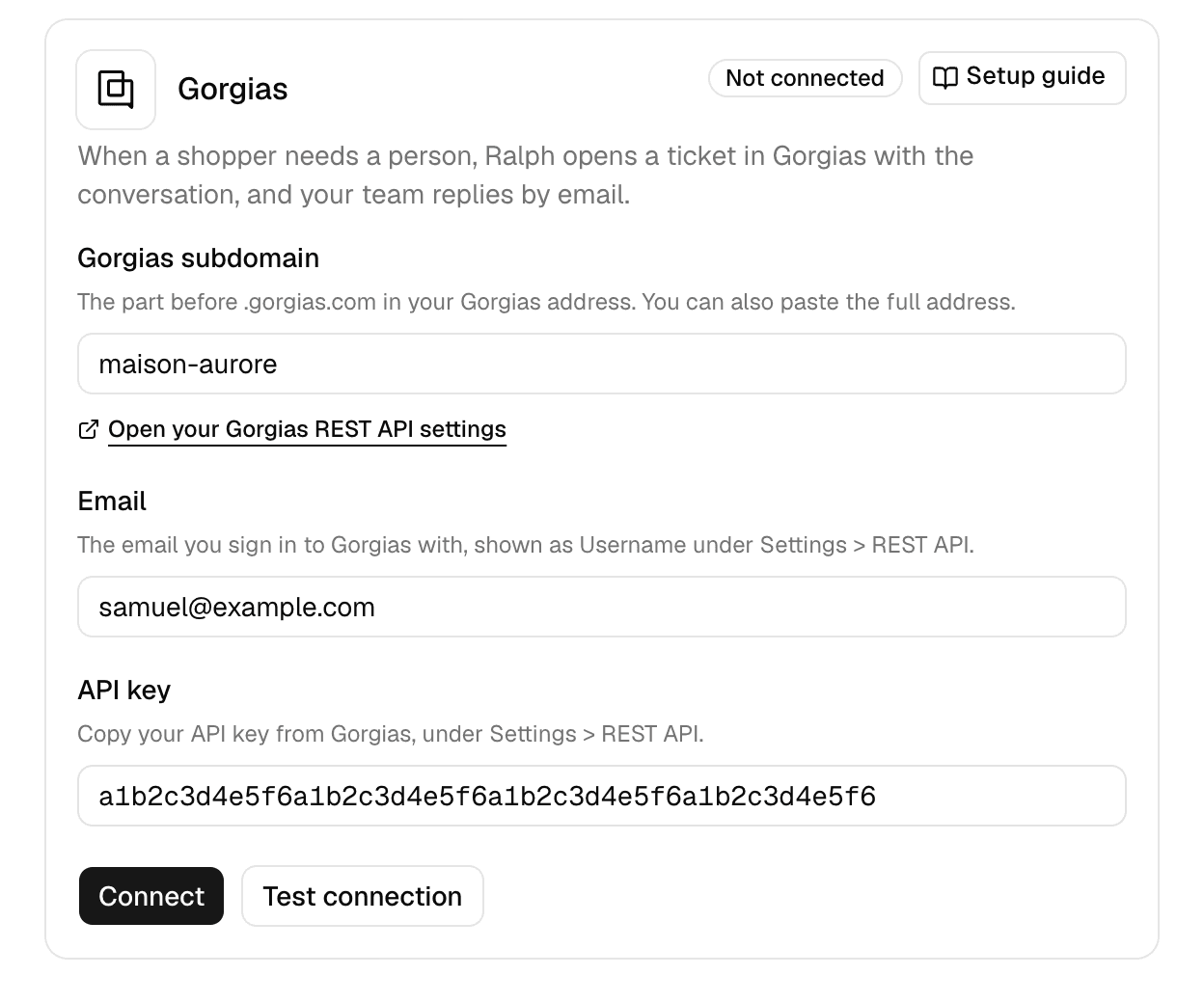
Open Integrations → Gorgias in the dashboard and fill in the three fields:
| Field | What to enter |
|---|---|
| Gorgias subdomain | The part before .gorgias.com, or the full address |
| The Username from Gorgias | |
| API key | The API key from Gorgias |
Connect
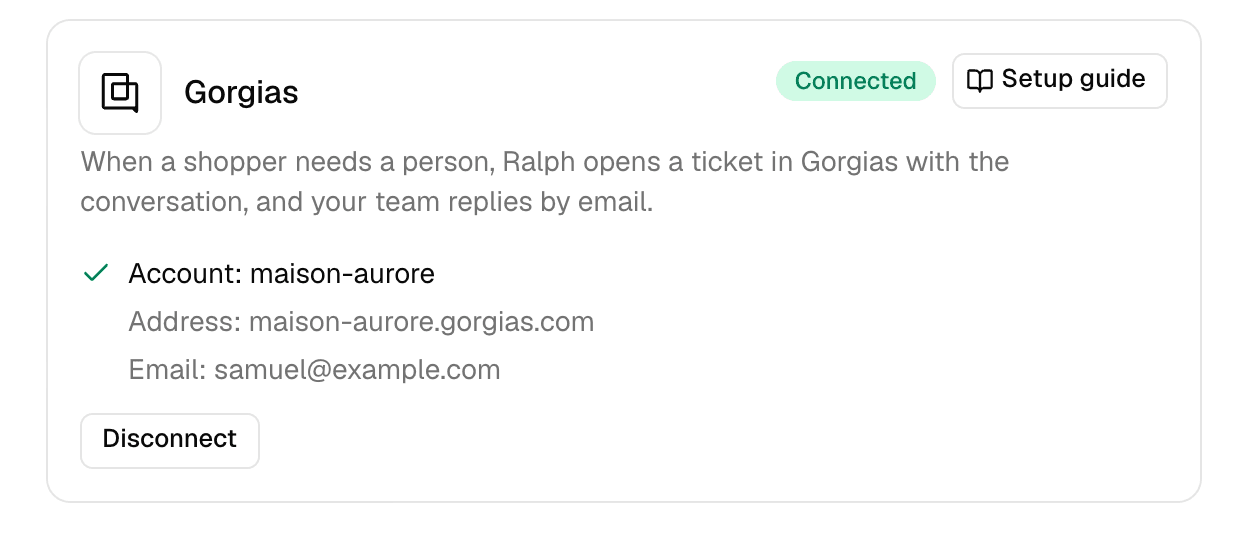
Test connection checks the credentials without saving them. Connect checks and saves them. Ralph starts handing over within a minute.
How a handoff works
Ralph hands over as a last resort. It answers everything it can first, offers to pass the rest to your team, and opens a ticket only once the shopper says yes.
Your team replies by email, so Ralph needs the shopper's address:
- Signed in: Ralph proposes the account email and waits for the shopper to confirm it.
- Not signed in: Ralph asks for an email address. A shopper who skips it gets your support contacts instead.
One conversation opens one ticket. Everything the shopper writes afterwards is added to that same ticket.
What your team receives
| In the ticket | Content |
|---|---|
| Customer | The shopper's email address |
| Subject | The topic of the request |
| Tag | ralph |
| First message | A summary, the context (reason, page, order number, language), then the conversation |
The first message links to the conversation in the dashboard. Its labels are in English, whatever language the shopper wrote in.
Route these tickets automatically
Filter on the ralph tag in your Gorgias views and rules.
Follow your handoffs
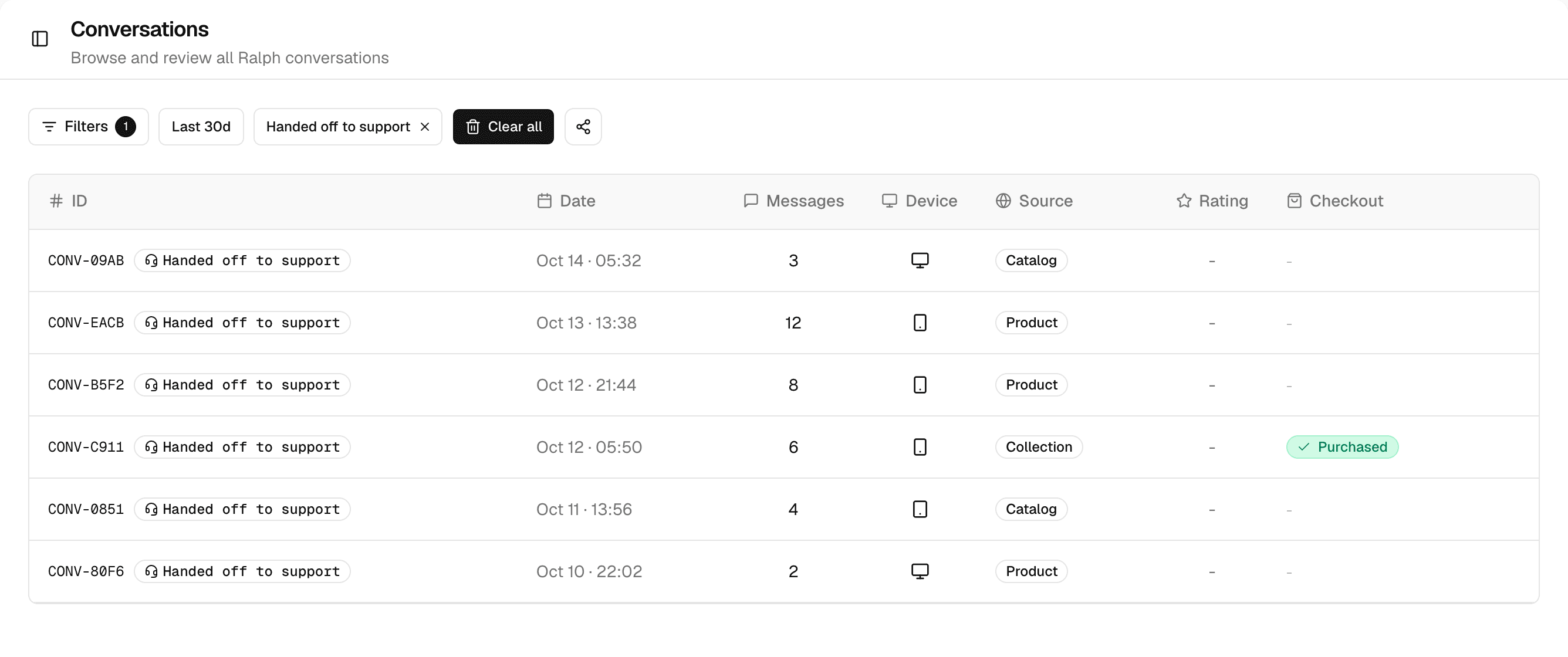
Conversations marks each handed-off conversation with Handed off to support. Filter on them under Filters → Support, and open a conversation to jump to its ticket in Gorgias. Integrations → Gorgias counts the handoffs of the last 30 days.